








Operating a multi-axis rotary stage requires a comprehensive understanding of its components, functions, and safety protocols. As a reputable rotary stage supplier, we are dedicated to providing our customers with high-quality products and in-depth knowledge to ensure seamless operation. In this blog, we will guide you through the process of operating a multi-axis rotary stage, covering everything from setup to maintenance.
Understanding the Multi-Axis Rotary Stage
Before delving into the operation, it's essential to understand what a multi-axis rotary stage is. A multi-axis rotary stage is a precision device that allows for rotational movement along multiple axes. It typically consists of a base, a rotating platform, and a control system. The base provides stability, while the rotating platform can be adjusted to different angles and positions. The control system, which can be manual or automated, enables users to precisely control the movement of the stage.
Setting Up the Multi-Axis Rotary Stage
The first step in operating a multi-axis rotary stage is setting it up correctly. Here are the key steps:
- Choose the Right Location: Select a flat, stable surface that can support the weight of the stage and any additional equipment. Ensure that the area is free from vibrations and other disturbances that could affect the accuracy of the stage.
- Install the Stage: Follow the manufacturer's instructions to install the stage on the chosen surface. This may involve using bolts, clamps, or other mounting methods. Make sure the stage is securely attached to prevent any movement during operation.
- Connect the Control System: If your stage has an automated control system, connect it to the power source and the stage. Follow the wiring diagram provided by the manufacturer to ensure proper connections. If you are using a manual control system, familiarize yourself with the controls and their functions.
- Calibrate the Stage: Before using the stage, it's important to calibrate it to ensure accurate movement. This may involve adjusting the zero position, setting the rotation speed, and verifying the accuracy of the angles. Refer to the user manual for detailed calibration instructions.
Operating the Multi-Axis Rotary Stage
Once the stage is set up and calibrated, you can start operating it. Here are the general steps:
- Power On the Stage: Turn on the power supply to the stage and the control system. Wait for the system to initialize and display the appropriate status messages.
- Select the Axis of Rotation: Depending on your application, you may need to rotate the stage along one or more axes. Use the control system to select the desired axis of rotation.
- Set the Rotation Angle and Speed: Use the control system to set the desired rotation angle and speed. Make sure to adjust these parameters according to your application requirements.
- Initiate the Rotation: Once you have set the rotation angle and speed, initiate the rotation using the control system. Monitor the movement of the stage to ensure it is operating smoothly and accurately.
- Make Adjustments as Needed: If you need to make any adjustments to the rotation angle or speed, use the control system to do so. You can also stop the rotation at any time by using the stop button on the control system.
Safety Considerations
When operating a multi-axis rotary stage, it's important to follow all safety protocols to prevent accidents and injuries. Here are some key safety considerations:


- Read the User Manual: Before operating the stage, read the user manual carefully to understand all safety instructions and warnings.
- Wear Personal Protective Equipment (PPE): Wear appropriate PPE, such as safety glasses, gloves, and hearing protection, to protect yourself from potential hazards.
- Keep the Work Area Clean and Organized: Keep the work area clean and free from clutter to prevent tripping and other accidents.
- Do Not Overload the Stage: Do not exceed the maximum load capacity of the stage. Overloading the stage can cause damage to the equipment and increase the risk of accidents.
- Avoid Contact with Moving Parts: Do not touch the moving parts of the stage while it is in operation. This can cause serious injuries, such as cuts, bruises, and amputations.
- Turn Off the Power Supply: When you are finished using the stage, turn off the power supply to the stage and the control system. This will prevent any accidental activation of the stage.
Maintenance and Troubleshooting
Regular maintenance and troubleshooting can help ensure the long-term performance and reliability of your multi-axis rotary stage. Here are some key maintenance and troubleshooting tips:
- Clean the Stage Regularly: Clean the stage regularly to remove any dirt, dust, or debris that may accumulate on the surface. Use a soft, dry cloth to wipe the stage clean.
- Lubricate the Moving Parts: Lubricate the moving parts of the stage regularly to reduce friction and wear. Use the recommended lubricant and follow the manufacturer's instructions for lubrication.
- Inspect the Stage for Damage: Inspect the stage regularly for any signs of damage, such as cracks, dents, or loose parts. If you notice any damage, stop using the stage immediately and contact the manufacturer for repair or replacement.
- Troubleshoot Common Problems: If you encounter any problems with the stage, such as inaccurate movement or strange noises, refer to the user manual for troubleshooting instructions. If you are unable to resolve the problem, contact the manufacturer for further assistance.
Related Products
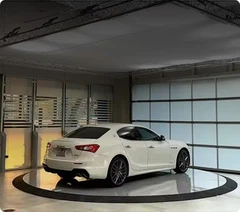
In addition to our multi-axis rotary stages, we also offer a range of related products, including Floor To Floor Car Lift Platform and DAXLIFTER Customized Car Vehicle Rotary Rotating Stage Platform. These products are designed to provide reliable and efficient solutions for various applications.
Contact Us for Procurement
If you are interested in purchasing a multi-axis rotary stage or any of our related products, we invite you to contact us for procurement. Our team of experts will be happy to assist you in selecting the right product for your needs and providing you with a competitive quote. We are committed to providing our customers with the highest level of service and support, and we look forward to working with you.
References
- Manufacturer's User Manuals
- Industry Standards and Guidelines


